
Why use your own telephone number?
- Trust & accessibility: Your contacts see a familiar or at least recognisable number – this increases the likelihood that they will answer the phone.
- Brand consistency: Your communication appears more professional and consistent.
- Callbacks directly to you: Callbacks go directly to your own number and not via an intermediary solution.
How do I save my own telephone number?
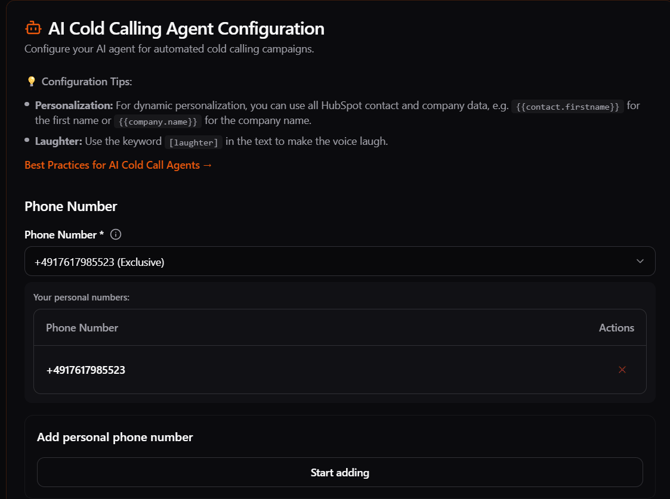
- AI Calling Agent:
Go to ‘AI Calling Agent’ in the sidebar. - Add your personal telephone number:
Enter your desired telephone number. Make sure it is in international format (e.g. +49...). - Perform verification:
For security reasons, a short verification process will take place. You will either receive an automated call. You will then need to enter the code displayed on the phone. - Activate number:
After successful verification, you can set your own number as the default for outgoing calls.
Use in calls and campaigns
Once your number has been registered and activated, it will automatically be used for all outgoing calls from Outreach Master – regardless of whether they are dialled manually or part of an automated outreach sequence.
Frequently asked questions
Can I store multiple telephone numbers?
Yes, you can manage multiple numbers and select them for each campaign or user.
Does using my own number cost extra?
No, storing your own telephone number is free of charge. You will only be charged the standard call costs within your tariff.
Does this also work with VoIP numbers?
Yes, as long as the number is verifiable.
What happens with incoming calls?
These do not land at Outreach Master, but are put through directly to you.